
A Design System I Did Not Have to Design
I am a software engineer and, most days, a software architect. I can tell you why a service should own its data, where a queue belongs and what will break first when the load doubles. I cannot tell you why one shade of beige works and another one makes a page look tired. Design was never my forte.
For years, this meant that every side project looked like whatever the framework gave me by default. The blog had a theme I adapted in 2017, the recipe site had another one, the smart-home dashboard was a dark GitHub lookalike, and the jukebox manager was Material from 2015. Each new project started with the same question I did not want to answer: what should this look like? Most of the time, the answer was “it does not matter, it is just for me”, which is true until you have five of them and none of them feel like they belong together.
This post is about how I stopped answering that question myself. I asked an AI, Claude in this case, to look at the websites I already liked and turn them into a design system: something that every new website, web app or small screen in the house can just use, without me thinking about it.
Where it started
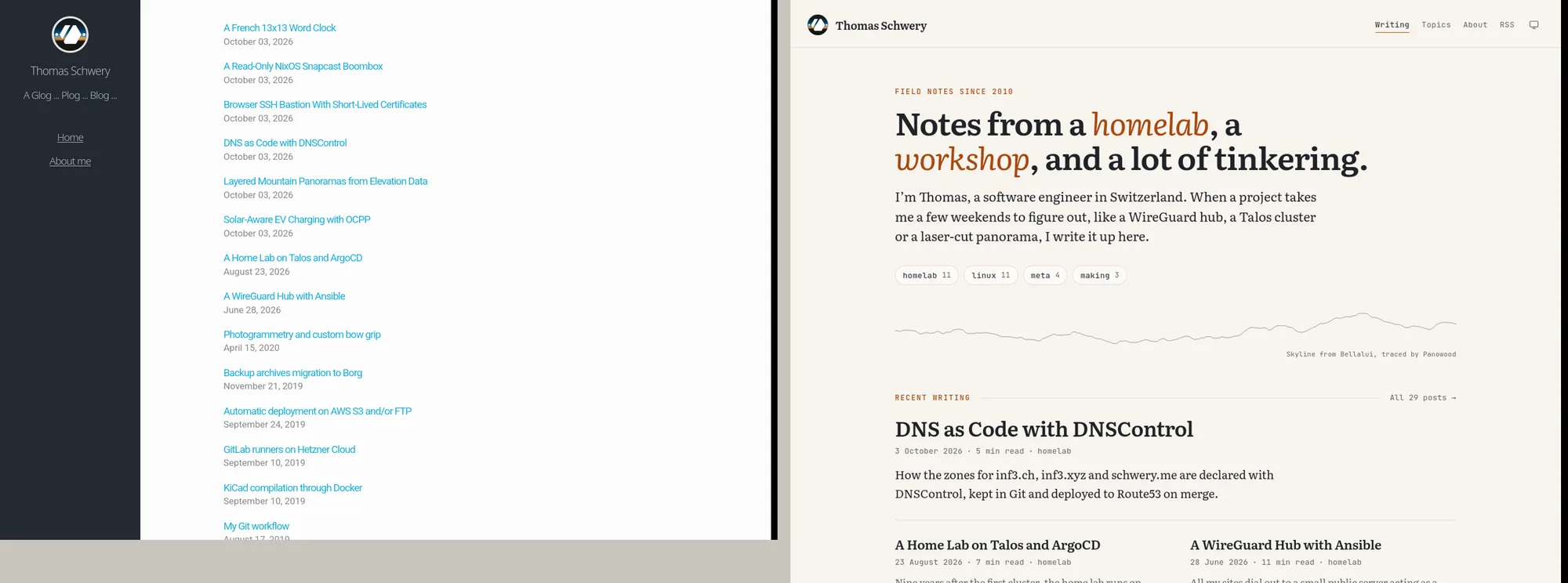
Last week I asked for three redesign options for this blog, picked one called Field Notes (warm paper, a serif for reading, a monospace font for labels, one rust accent) and then applied the same look to the recipe site and to inf3.ch, which became a fake man page. I liked the result, but it was three copies of the same ideas in three stylesheets, already drifting apart: the body text was 19 px here and 18 px there, the mobile margins differed by two pixels, and the small orange labels were not even the same weight.
So the next request was: take these three sites, extract the design system behind them, and make it usable by the other projects. The smart-home dashboard and the jukebox manager are Vue apps, the sites are Hugo, and the wall panels in the house are small LilyGo screens running LVGL. I wanted one source for all of them.
Questions I could actually answer
What surprised me first was not the output, it was the questions. Before building anything, it read the three sites and the two apps and asked me four things. Each was a real decision, with a recommended option and the trade-off of each one:
- The apps are dense (tables, sliders, a dozen admin tabs). Should they keep the reading serif, or get a third font for the interface?
- The sites follow the operating system’s dark mode, the smart-home app is always dark and the jukebox is always light. How should themes work?
- The smart-home app colours its domains (blue for blinds, amber for lights, orange for heating). Keep that, or reduce everything to one accent?
- Besides CSS, what should the system ship: Vue components, Hugo partials, a theme for the wall panels, an Android theme?
These are questions I can answer in ten seconds, because they are about how I use my own tools, not about taste. What I could not have done is turn the answers into colours, sizes and spacing. That part was the whole point.
What came out
The result is Field Notes, a
small repository with a single source of truth, tokens/tokens.json, and a
Python script that generates everything else from it:
- CSS custom properties for the light and dark themes, plus stylesheets for sites and for apps, in cascade layers so a project’s own CSS always wins.
- 30 Vue 3 components (buttons, fields, switches, sliders, tiles, tables, dialogs, toasts…) that only render the plain CSS classes.
- A Hugo module with the header, the footer, the mountain skyline, cards and a few shortcodes.
- A C header for the LVGL wall panels, with the same colours and sizes.
- 91 icons from Lucide, and the three fonts: Literata to read, Inter to operate, JetBrains Mono to label and measure.
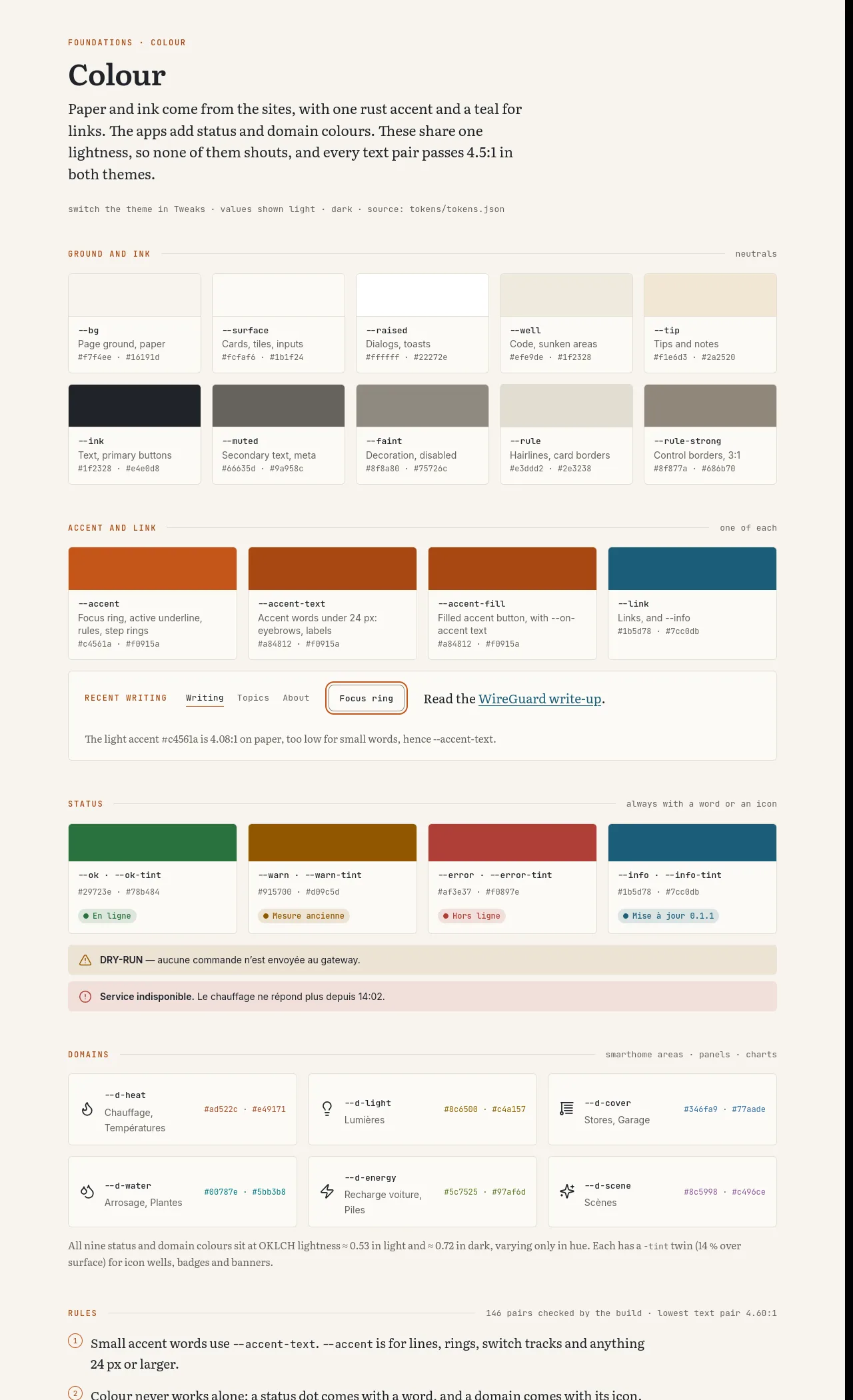
The part I would never have done myself is the colour work. The status
colours (ok, warning, error) and the six smart-home domain colours (heat,
light, blinds, water, energy, scenes) are all computed at the same
lightness in the OKLCH colour space, so that none of them shouts louder
than the others. And the build checks the contrast of 158 colour pairs in
both themes: if any text drops below 4.5:1, the build fails. That check
found a real problem on the first day. The rust accent that I liked so much
on the blog was only 4.08:1 on the paper background, which is too low for
the small uppercase labels. The fix was a slightly darker
--accent-text for small words, which I would not have noticed and nobody
would have told me about.
Using it everywhere
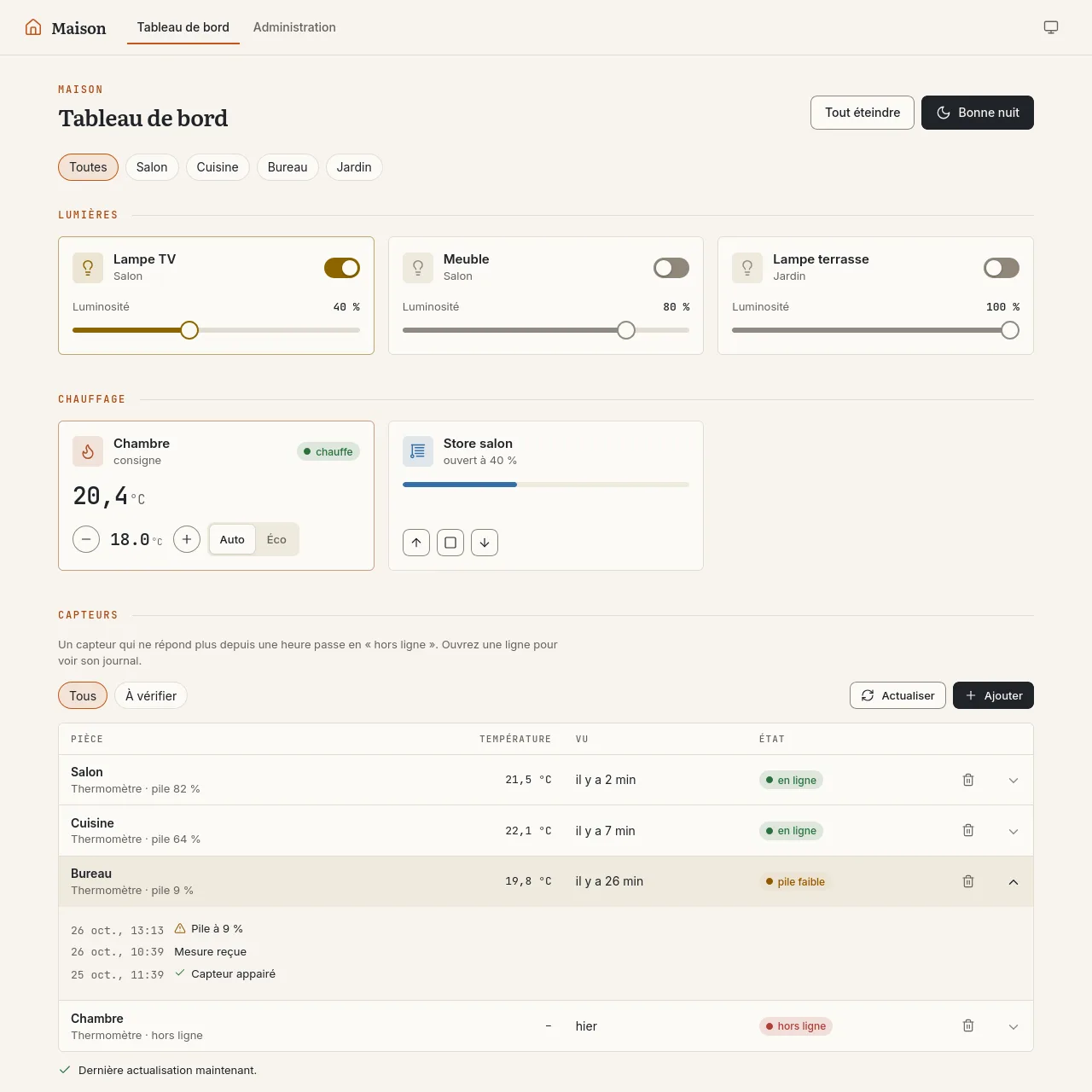
Once the system existed, the existing projects were migrated one by one, each on its own branch. For the sites, it mostly meant deleting CSS: the recipe theme went from 242 to about 110 lines, keeping only what is really about recipes, like the ingredient checkboxes and the print layout. The smart-home dashboard went from a 718-line stylesheet to about 175 lines, and it gained a light theme for free.
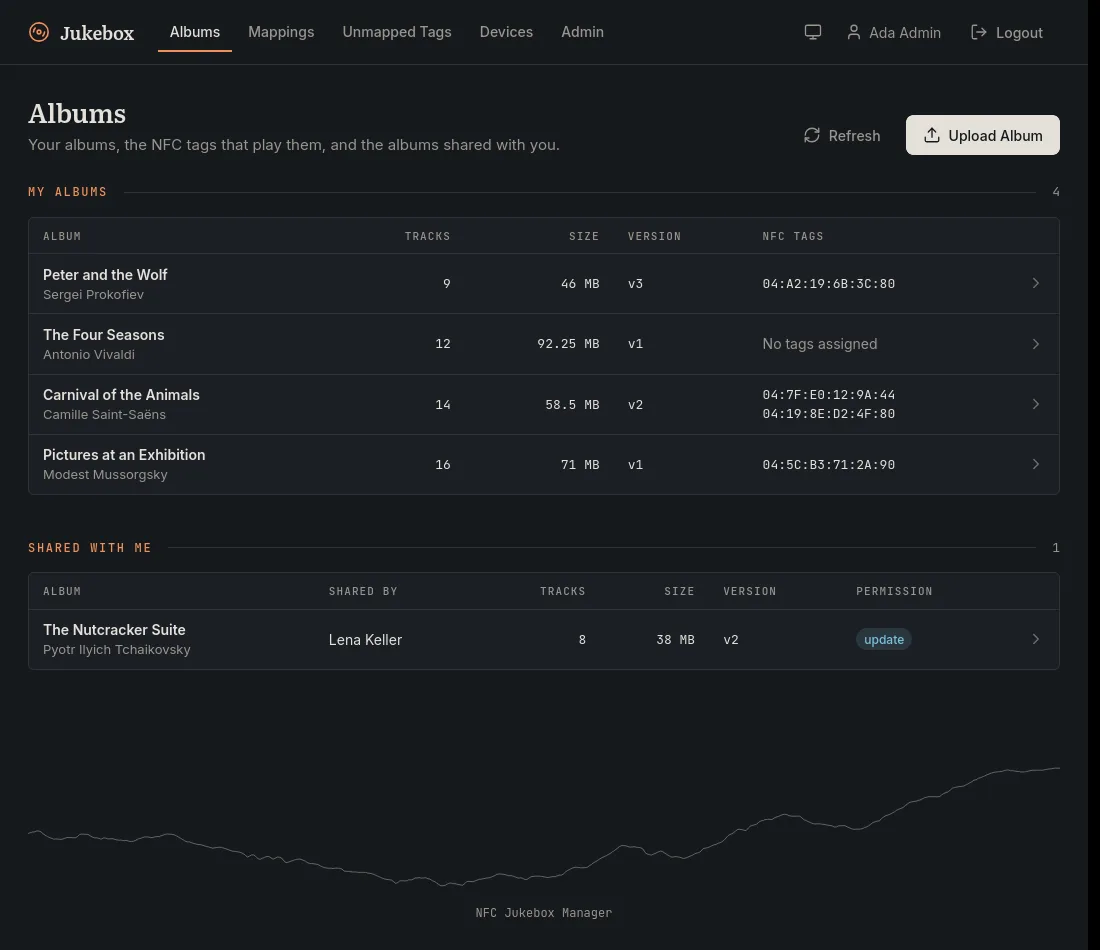
The jukebox manager was the most visible change: 17 hand-made dialogs became one dialog component that closes with Escape, the status bar became toasts, and the album grid became a table that still works on a phone.
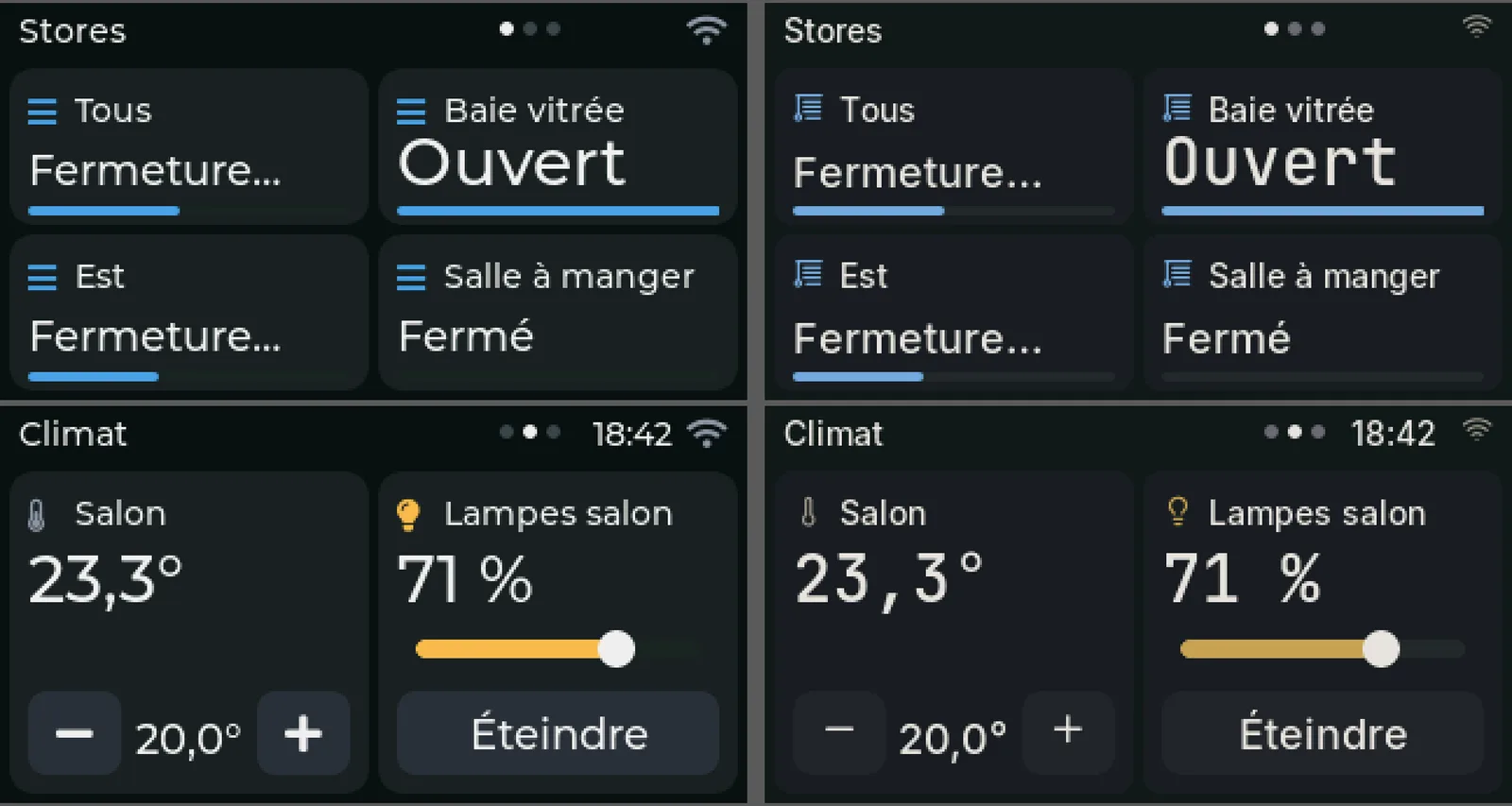
The wall panels were the most fun. They run LVGL on a 320×170 screen, so CSS is useless there, but the same tokens generate a C header. The fonts are regenerated from Inter and JetBrains Mono, and the Lucide icons are mapped onto the code points LVGL already uses, so the firmware code barely changed. The panel now looks like it belongs to the same house as the web dashboard.
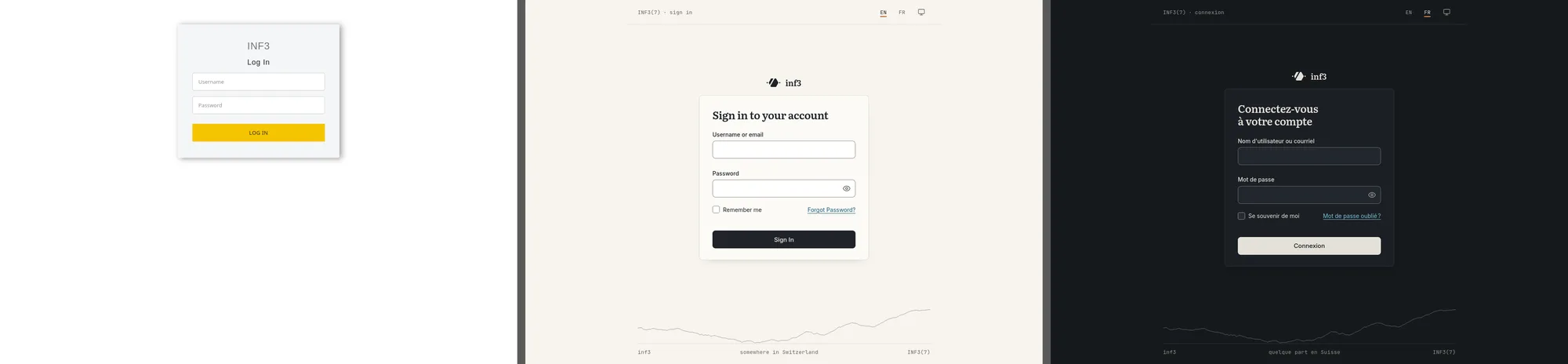
Even the Keycloak login page, which every one of my apps redirects to, got a Field Notes theme, with a separate, amber “administration” variant for the master realm so that I know where I am typing the admin password.
What I still had to do
It was not a single prompt. The decisions that are mine stayed mine, and a few of them were not obvious:
- Distribution. The first version vendored a copy of the design system into every project. It worked, but the commits were huge. Now every project pins a release: Hugo downloads the module at build time and the Vue apps depend on the release tarball, with its checksum in the lock file. Updating is a one-line change.
- Anonymising before going public. The examples were generated with my real rooms and devices, which is great to judge a design and bad for a public repository. Everything personal was replaced before the repository went public.
- Checking on real devices. The Keycloak theme looked perfect in every screenshot and broken on my phone. The cause was not the theme: Keycloak serves theme files for 30 days under a URL that does not change between theme versions, so my phone kept the stylesheet of the old theme. The fix was to add a hash of the theme files to every asset URL at deploy time. No amount of design taste would have found that one, but it is exactly the kind of problem I am good at.
That last point is, I think, the real lesson. The AI did the part I am bad at, the visual decisions and their consistency, and the parts I am good at, the architecture, the build, the caching and the deployment, were still where my time went. That is a good split.
Today
When I start a new project now, I do not open a colour picker. I add one
dependency, put class="app" on the body, and use the components. A new
small site gets the header, the footer and the skyline from the Hugo
module. It looks like the rest, it works in dark mode, it passes the
contrast checks, and I did not have to think about it.
The design system is public at git.inf3.xyz/tschwery/field-notes, under the MIT licence. It is very much built for my own projects, but if you are an engineer who would rather not choose fonts either, it might be a reasonable starting point.